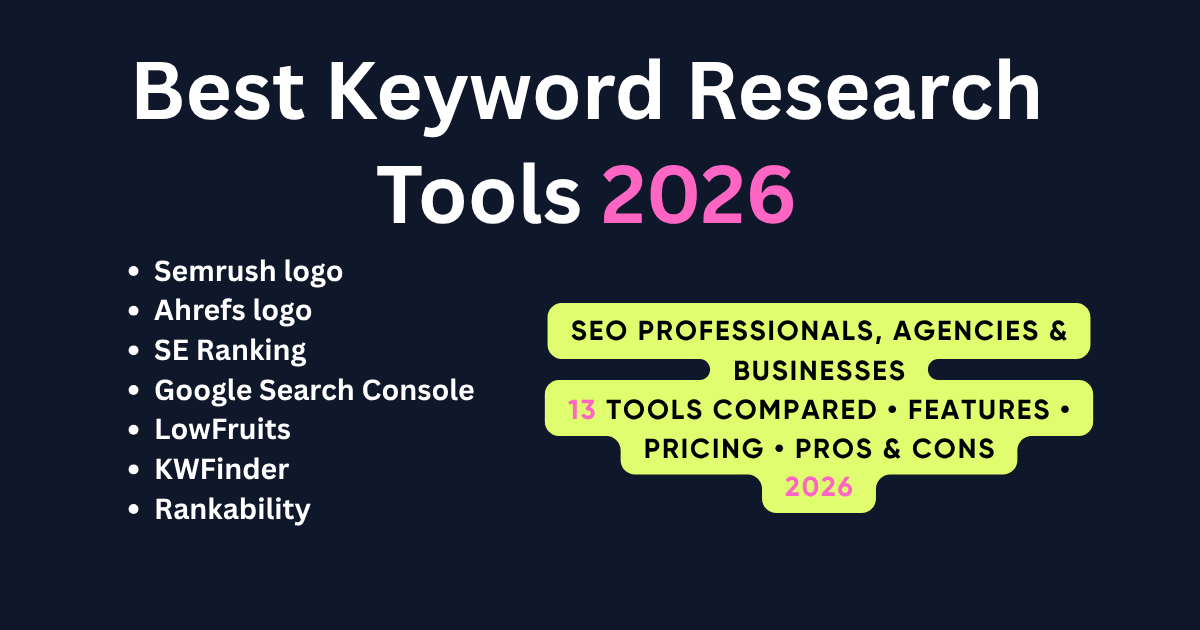
Best Keyword Research Tools for SEO in 2026
Best Keyword Research Tools for 2026: What This Guide Covers
Finding the right keyword research tool isn’t just about discovering high-volume keywords. It’s about understanding search intent, uncovering ranking opportunities, analyzing competitors, and building an SEO strategy that drives measurable results.
With dozens of keyword research platforms available, choosing the right one can quickly become overwhelming. Some tools excel at competitor analysis, while others are better for long-tail keyword discovery, content planning, SERP analysis, or local SEO. The best choice depends on your goals, budget, and workflow.
To help you make the right decision, we evaluated the industry’s leading keyword research tools based on keyword database size, data accuracy, search intent analysis, competitor research capabilities, ease of use, reporting features, pricing, and overall value for SEO professionals, agencies, and businesses.
Whether you’re managing enterprise SEO campaigns, growing an agency, running an eCommerce business, or building a niche website, this guide will help you find a keyword research tool that matches your needs. Once you’ve identified the right keywords, the next step is content optimization to turn those opportunities into higher rankings and organic traffic.
If you’re looking for a broader comparison of SEO platforms, check out our Best SEO Tools for Beginners, Businesses & Agencies guide.
After testing the leading platforms and comparing their strengths, weaknesses, pricing, and real-world use cases, we’ve selected the 13 best keyword research tools worth using in 2026.
Whether you need keyword ideas for blog content, SaaS SEO, local SEO, or enterprise campaigns, this guide compares the best keyword research tools based on real-world testing rather than marketing claims.
Quick Comparison: Best Keyword Research Tools at a Glance
| Tool | Best For | Starting Price | Free Version | Our Rating |
| Semrush | All-in-One SEO & Competitive Research | $139.95/month | No (Free Trial) | ⭐⭐⭐⭐⭐ |
| Ahrefs | Backlink & Keyword Research | $29/month | Webmaster Tools | ⭐⭐⭐⭐⭐ |
| Google Keyword Planner | PPC & Basic Keyword Research | Free | ✅ Yes | ⭐⭐⭐⭐☆ |
| Google Search Console | Performance & Keyword Insights | Free | ✅ Yes | ⭐⭐⭐⭐⭐ |
| SE Ranking | Agencies & SMBs | $65/month | Free Trial | ⭐⭐⭐⭐☆ |
| Moz Keyword Explorer | Beginners & SMBs | $49/month | Limited | ⭐⭐⭐⭐☆ |
| KWFinder | Long-Tail Keyword Research | $29/month | Limited | ⭐⭐⭐⭐☆ |
| LowFruits | Low-Competition Keywords | Pay-as-you-go / Subscription | Limited | ⭐⭐⭐⭐☆ |
| KeywordTool.io | Google Autocomplete Keywords | Limited Free | ✅ Yes | ⭐⭐⭐⭐☆ |
| Keyword Everywhere | Budget Keyword Research | Browser Extension | Limited | ⭐⭐⭐⭐☆ |
| AnswerThePublic | Question-Based Keyword Ideas | Limited Free | ✅ Yes | ⭐⭐⭐⭐☆ |
| AlsoAsked | People Also Ask Research | Limited Free | ✅ Yes | ⭐⭐⭐⭐☆ |
| Rankability | Content Optimization & Topical Coverage | Custom Pricing | Demo | ⭐⭐⭐⭐☆ |
Our Top Picks
🥇 Best Overall: Semrush
🥈 Best for SEO Professionals: Ahrefs
🥉 Best Free Tool: Google Search Console
Best Value for Agencies: SE Ranking
Best Budget Option: Keyword Everywhere
Best for Long-Tail Keywords: LowFruits
Best for Content Planning: Rankability
Best for Question Keywords: AnswerThePublic & AlsoAsked
Why You Can Trust SaaSLogicLab’s Recommendations
Choosing the right keyword research tool is a long-term investment. That’s why we didn’t rely on marketing claims, affiliate pages, or feature lists when creating this guide.
Instead, we analyzed leading SEO publications, compared industry-leading platforms, reviewed keyword datasets, and evaluated each tool based on the factors that matter most to SEO professionals, agencies, and businesses.
Every recommendation in this guide is based on practical evaluation, including keyword discovery capabilities, search intent analysis, competitor research, data accuracy, SERP insights, reporting features, usability, pricing, and overall value.
We also considered how each tool performs across different SEO workflows. While some platforms are better suited for enterprise teams managing large-scale campaigns, others offer excellent value for freelancers, small businesses, content marketers, or agencies working with multiple clients.
Rather than recommending a single tool for everyone, we’ve highlighted where each platform performs best, its limitations, and the type of user who will benefit most from it. Our goal is to help you choose a solution that fits your SEO strategy, budget, and business objectives—not simply the most expensive or feature-rich option.
As the SEO industry continues to evolve with AI-powered search, changing user behavior, and increasingly competitive search results, selecting the right keyword research tool has become more important than ever. This guide is designed to help you make that decision with confidence.
How We Tested & Chose These Keyword Research Tools
Not every keyword research tool delivers the same level of data quality, usability, or value. Some platforms excel at competitor analysis, while others are better suited for content planning, keyword discovery, local SEO, or enterprise reporting.
To identify the best options, we evaluated each tool using the criteria that matter most in real-world SEO campaigns.
Keyword Database & Accuracy
A keyword tool is only as good as its data. We looked at the size of each keyword database, the freshness of search data, keyword suggestions, search volume accuracy, and how consistently the tool identified valuable opportunities across different industries.
Search Intent & SERP Analysis
Modern SEO is about matching search intent, not just targeting keywords. We assessed how well each platform helps users understand search intent, analyze SERP features, identify ranking opportunities, and evaluate keyword difficulty before creating content.
Competitor Research
Understanding what competitors rank for is one of the fastest ways to uncover growth opportunities. We compared each tool’s ability to analyze competing websites, discover ranking keywords, identify content gaps, and monitor keyword performance.
Ease of Use
Advanced features are valuable only if they’re easy to use. We considered each platform’s interface, reporting capabilities, learning curve, workflow efficiency, and overall user experience for beginners, experienced SEO professionals, and agencies.
Pricing & Overall Value
The most expensive tool isn’t always the best choice. We compared subscription costs, available features, scalability, and return on investment to determine which platforms provide the best value for freelancers, businesses, and enterprise SEO teams.
Who Should Use Each Tool
Instead of declaring a single winner, we evaluated which tool is the best fit for specific use cases. Throughout this guide, you’ll find recommendations tailored to agencies, SEO professionals, content marketers, bloggers, eCommerce businesses, and organizations with different budgets and SEO goals.
By combining these evaluation criteria with current industry best practices, we’ve created a practical guide that helps you choose a keyword research tool based on your actual requirements—not marketing claims.
The 13 Best Keyword Research Tools
Semrush
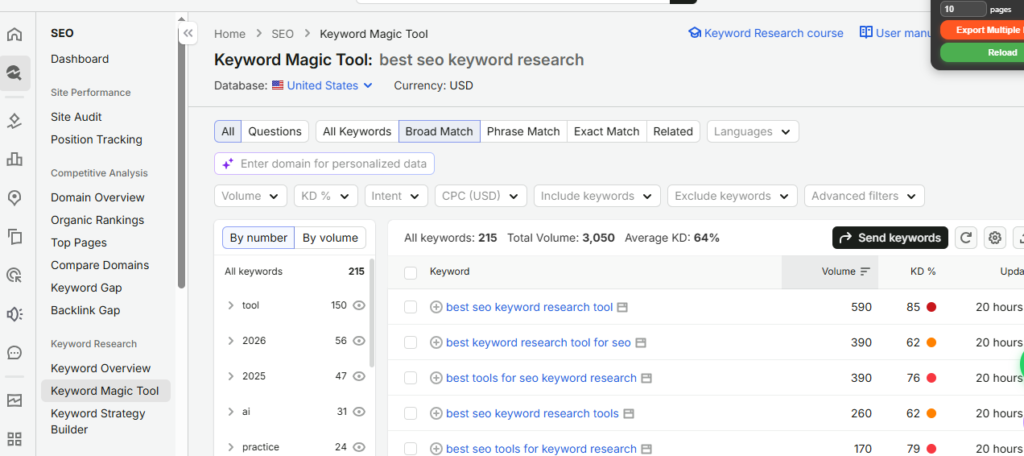
Semrush is one of the most comprehensive keyword research platforms available today. It combines keyword discovery, competitor analysis, rank tracking, site audits, backlink analysis, content marketing, and AI-powered SEO features in a single platform. Instead of switching between multiple tools, SEO professionals can manage their entire workflow from one dashboard.
What makes Semrush stand out is the depth of its keyword database and competitive intelligence. You can discover new keyword opportunities, analyze search intent, identify keyword difficulty, uncover competitor rankings, monitor SERP features, and estimate traffic potential before creating content. These insights help prioritize keywords that are more likely to generate meaningful organic traffic rather than simply targeting high search volumes.
For agencies and businesses managing multiple websites, Semrush also offers advanced reporting, project management, local SEO, PPC research, and client-friendly dashboards. This makes it a reliable option for teams handling both SEO and digital marketing campaigns at scale.
Best For
SEO professionals, digital marketing agencies, in-house marketing teams, enterprise websites, and businesses looking for a comprehensive SEO platform.
Key Features
• Keyword Magic Tool
• Keyword Overview
• Competitor Keyword Analysis
• Organic Research
• Keyword Gap Analysis
• Position Tracking
• SERP Feature Analysis
• Search Intent Detection
• Backlink Analytics
• Site Audit
• Content Marketing Toolkit
• AI SEO Features
Pros
• One of the largest keyword databases in the industry
• Excellent competitor research capabilities
• Accurate keyword metrics and traffic estimates
• Effective keyword clustering and content planning tools
• Comprehensive SEO toolkit beyond keyword research
• Detailed reporting for agencies and teams
Cons
• Premium pricing may not suit beginners
• The large feature set can feel overwhelming for first-time users
• Lower plans have usage limits for heavy users
Pricing
Plans start at approximately $139.95 per month, with higher-tier options available for growing teams and enterprise businesses.
Our Experience & Recommendation
If you need a single platform that handles keyword research, competitor analysis, technical SEO, content optimization, and reporting, Semrush remains one of the strongest investments available. It’s particularly useful for agencies and businesses that manage multiple SEO campaigns and need reliable data to make informed decisions.
For a deeper breakdown of its features, pricing, strengths, and limitations, read our complete Semrush Review (2026) and Semrush AI Visibility Toolkit Review.
How to Choose the Right Keyword Research Tool
The best keyword research tool depends on your SEO goals, budget, workflow, and experience level. Beginners often benefit from simple tools with keyword suggestions and search volume data, while agencies and SEO professionals usually need advanced competitor research, keyword clustering, SERP analysis, and reporting features. Before investing in any platform, test it with real projects, compare its data accuracy, and choose the solution that fits your long-term SEO strategy rather than selecting the tool with the largest feature list.
Final Verdict
Semrush is our top overall recommendation because it offers the best balance of keyword data, competitive intelligence, usability, and advanced SEO features. While it isn’t the cheapest option, its integrated capabilities make it one of the highest-value keyword research tools for SEO professionals, agencies, and businesses in 2026.
Ahrefs
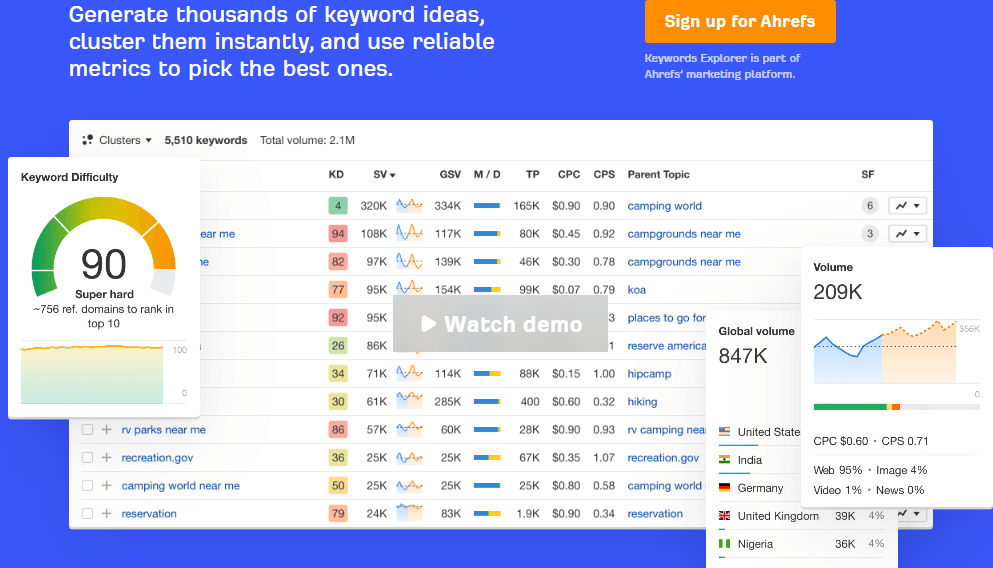
Ahrefs has earned its reputation as one of the most trusted SEO platforms for keyword research, competitor analysis, and backlink intelligence. While it’s widely known for its industry-leading backlink database, its keyword research capabilities are equally impressive, making it a favorite among experienced SEO professionals and agencies.
The platform provides access to billions of keywords across multiple countries, along with reliable search volume estimates, keyword difficulty scores, traffic potential, parent topics, and click metrics. Instead of focusing solely on search volume, Ahrefs helps users understand whether a keyword is actually worth targeting by showing how much organic traffic it can realistically generate.
One of Ahrefs’ biggest strengths is competitor research. You can quickly identify the keywords your competitors rank for, discover content gaps, analyze top-performing pages, and uncover new opportunities to improve your own SEO strategy. Combined with its intuitive interface and highly accurate data, Ahrefs makes keyword research faster and more actionable.
Best For
SEO professionals, agencies, content marketers, affiliate marketers, publishers, and businesses focused on organic search growth.
Key Features
• Keywords Explorer
• Site Explorer
• Organic Keywords Report
• Keyword Difficulty Score
• Traffic Potential
• Parent Topic Analysis
• Content Gap Analysis
• SERP Overview
• Rank Tracker
• Backlink Analysis
• AI Content Helper
Pros
• Excellent keyword database with highly reliable data
• Industry-leading competitor and backlink analysis
• Traffic Potential helps prioritize useful keywords
• User-friendly interface with powerful reporting
• Strong international keyword coverage
• Regular database updates
Cons
• Higher pricing than many competitors
• No permanent free plan
•Some Advanced features are limited on lower-tier subscriptions
Pricing
Plans start at approximately $129 per month, with higher-tier plans designed for agencies and enterprise teams.
Our Experience & Recommendation
If your SEO strategy relies heavily on competitor analysis, backlink research, and identifying high-value keyword opportunities, Ahrefs is one of the best investments available. Its keyword metrics, traffic estimates, and content gap reports consistently provide actionable insights that help prioritize SEO efforts more effectively. While it may not be the most affordable option, the quality of its data makes it a worthwhile choice for professionals who depend on accurate SEO intelligence.
For a complete analysis of its features, pricing, advantages, and limitations, read our in-depth Ahrefs Review (2026).
Final Verdict
Ahrefs is the best keyword research tool for SEO professionals who want accurate keyword data, exceptional competitor intelligence, and world-class backlink analysis. If your budget allows, it’s one of the most powerful platforms you can add to your SEO toolkit.
Google Search Console
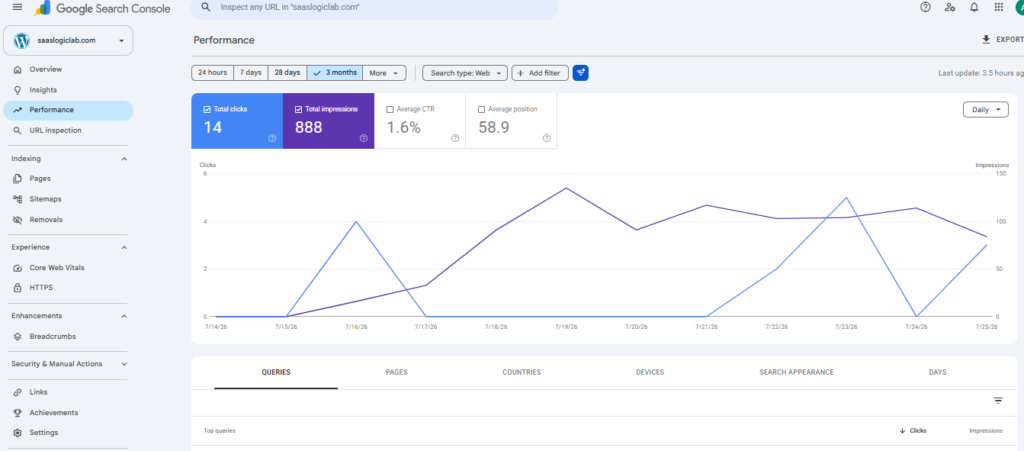
Google Search Console is one of the most essential free SEO tools because it shows how your website actually performs in Google Search. Unlike traditional keyword research tools that estimate search volume and competition, Google Search Console provides real performance data based on your website’s impressions, clicks, average rankings, and click-through rates.
This makes it invaluable for discovering keywords you’re already ranking for, identifying pages that need optimization, finding low-hanging SEO opportunities, and monitoring how your organic visibility changes over time. Many websites have hundreds of keywords ranking on the second or third page of Google, and Search Console helps uncover these opportunities so you can improve rankings with targeted content updates.
Another major advantage is that the data comes directly from Google, making it one of the most accurate sources for measuring your website’s organic search performance. Combined with tools like Semrush or Ahrefs, Google Search Console becomes a powerful resource for validating keyword strategies and tracking SEO progress.
While it isn’t designed to replace premium keyword research platforms, every SEO professional, business owner, and content marketer should use Google Search Console as part of their regular optimization workflow.
Best For
Website owners, SEO professionals, bloggers, content marketers, agencies, eCommerce businesses, and anyone monitoring organic search performance.
Key Features
• Search Performance Reports
• Keyword Impressions & Clicks
• Average Position Tracking
• Click-Through Rate (CTR) Analysis
• Page Performance Reports
• Index Coverage Monitoring
• Core Web Vitals
• URL Inspection Tool
• Sitemap Submission
• Mobile Usability Reports
Pros
• Completely free to use
• Data comes directly from Google Search
• Shows keywords your website already ranks for
• Ideal for identifying quick SEO wins.
• Helps monitor indexing and technical SEO issues
• Essential for tracking organic search performance
Cons
• No keyword search volume data
• Doesn’t provide competitor analysis
• Limited historical data compared to premium SEO tools
• No keyword difficulty or backlink metrics
Pricing
Google Search Console is completely free.
Our Experience & Recommendation
Google Search Console is a must-have tool for every website, regardless of size or industry. While it doesn’t replace dedicated keyword research software, it provides insights that no third-party platform can replicate because the data comes directly from Google. We recommend reviewing Search Console regularly to identify keyword opportunities, improve underperforming pages, and monitor the overall health of your SEO strategy.
Final Verdict
Google Search Console is the best free SEO performance tool available. If you own a website and care about organic traffic, it should be one of the first tools you set up. Used alongside premium keyword research platforms, it provides the real-world data needed to make smarter SEO decisions.
SE Ranking
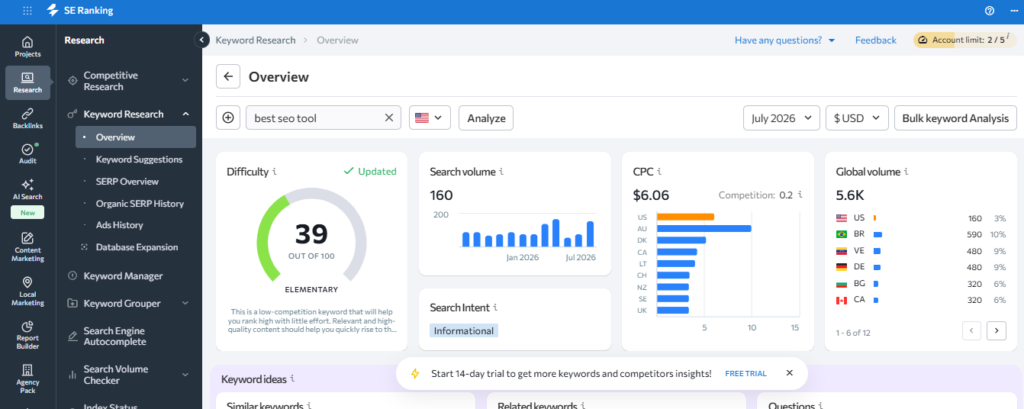
SE Ranking has become one of the most popular SEO platforms for freelancers, agencies, and growing businesses because it delivers a powerful set of keyword research and SEO features at a more affordable price than many enterprise-level competitors. It combines keyword research, competitor analysis, rank tracking, website audits, backlink monitoring, and content optimization into a single, user-friendly platform.
Its Keyword Research tool helps users discover high-potential keywords by providing search volume, keyword difficulty, search intent, CPC, competition level, and SERP analysis. The platform also includes competitor keyword research, allowing you to identify the terms driving traffic to competing websites and uncover beneficial content opportunities.
One of SE Ranking’s biggest strengths is its balance between functionality and simplicity. The interface is clean, reports are easy to understand, and the platform scales well for both individual marketers and agencies managing multiple client projects. It also includes white-label reporting, making it a strong choice for SEO agencies that need professional client reports.
For businesses that want premium SEO capabilities without paying enterprise-level prices, SE Ranking offers one of the best value-for-money solutions available.
Best For
SEO agencies, freelancers, small and medium-sized businesses, in-house marketing teams, and content marketers looking for an affordable integrated SEO platform.
Key Features
• Keyword Research Tool
• Competitor Keyword Analysis
• Rank Tracking
• Website Audit
• SERP Checker
• Keyword Difficulty Analysis
• Search Intent Detection
• Backlink Monitoring
• Marketing Plan
• White-Label Reporting
Pros
• Excellent value for money
• Accurate keyword research and rank tracking
• User-friendly interface with minimal learning curve
• Strong competitor analysis tools
• White-label reports for agencies
• Comprehensive complete SEO toolkit
Cons
• Smaller keyword database than Semrush and Ahrefs
• Some advanced datasets are limited compared to enterprise platforms
• Historical data depth varies depending on the subscription plan
Pricing
Plans start at approximately $65 per month, making it one of the most affordable premium SEO platforms available.
Our Experience & Recommendation
SE Ranking is one of the best alternatives to Semrush and Ahrefs for users who need professional SEO features without the premium price tag. It offers an excellent combination of keyword research, rank tracking, competitor analysis, and reporting tools, making it particularly well-suited for agencies, freelancers, and growing businesses. If budget is an important consideration, SE Ranking delivers outstanding value without sacrificing the features most SEO professionals rely on.
Final Verdict
SE Ranking is the best value-for-money keyword research tool on this list. It combines powerful SEO capabilities with affordable pricing, making it an excellent choice for freelancers, agencies, and businesses that want a comprehensive SEO platform without the higher costs associated with enterprise-level tools.
Moz Keyword Explorer
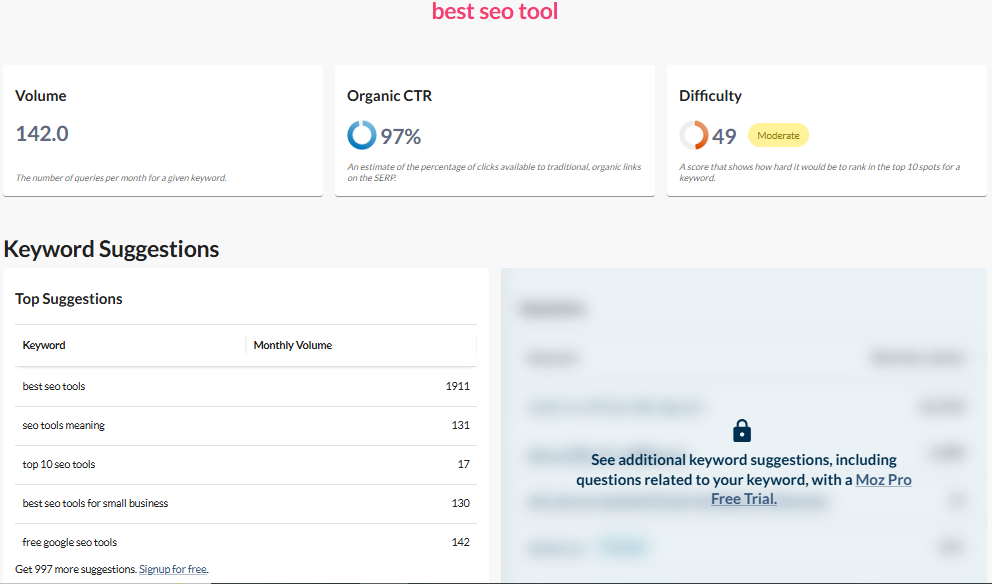
Moz Keyword Explorer is a reliable keyword research tool designed to help marketers identify high-value keywords based on more than just search volume. Instead of overwhelming users with excessive data, Moz focuses on providing actionable metrics like Keyword Difficulty, Organic CTR, Priority Score, and search intent, making it easier to choose keywords that can realistically drive traffic and conversions.
One of its standout features is the Priority Score, which combines search volume, keyword difficulty, and click-through potential into a single metric. This allows SEO professionals to quickly identify keywords that offer the best balance between ranking opportunity and business value without manually comparing multiple data points.
Moz Keyword Explorer also offers keyword suggestions, SERP analysis, competitor insights, and keyword lists that help streamline content planning. While it may not have the largest keyword database compared to Semrush or Ahrefs, its clean interface and easy-to-understand metrics make it an excellent option for marketers who value simplicity and efficiency.
For businesses and content marketers looking for a straightforward keyword research solution without a steep learning curve, Moz Keyword Explorer remains one of the most dependable choices available.
Best For
Content marketers, SEO professionals, bloggers, small businesses, agencies, and marketers looking for simple yet reliable keyword research.
Key Features
• Keyword Explorer
• Keyword Difficulty Score
• Organic CTR Analysis
• Priority Score
• Keyword Suggestions
• SERP Analysis
• Keyword Lists
• Search Volume Estimates
• Competitor Keyword Research
• Domain Overview
Pros
• Beginner-friendly and easy to navigate
• Unique Priority Score simplifies keyword selection
• Reliable keyword difficulty metrics
• Excellent keyword organization tools
• Strong SERP analysis
• Trusted brand with consistent data quality
Cons
• Smaller keyword database than Semrush and Ahrefs
• Limited competitor research compared to premium platforms
• Fewer advanced SEO features
• Usage limits on lower-tier plans
Pricing
Plans start at approximately $49 per month, with higher-tier subscriptions offering increased usage limits and additional SEO features.
Our Experience & Recommendation
Moz Keyword Explorer is an excellent choice for marketers who want a clean, intuitive keyword research experience without sacrificing data quality. Its Priority Score is particularly useful for identifying keyword opportunities quickly, making it easier to focus on terms with the highest potential return. While larger agencies may prefer more feature-rich platforms, Moz remains a dependable option for businesses and content teams seeking efficient keyword research.
Final Verdict
Moz Keyword Explorer is one of the easiest keyword research tools to use while still providing reliable SEO insights. If you value simplicity, actionable metrics, and a streamlined workflow, it’s an excellent platform for building effective keyword strategies without unnecessary complexity.
KWFinder
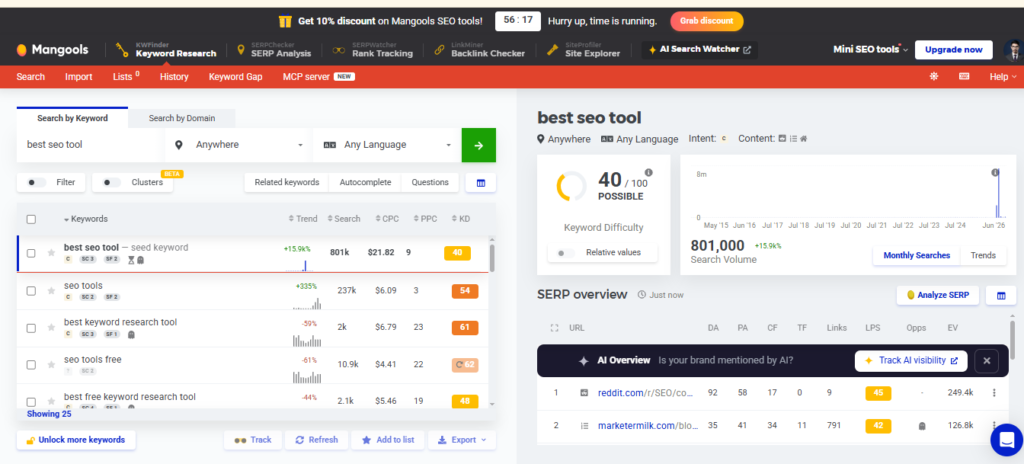
KWFinder by Mangools is a user-friendly keyword research tool that specializes in discovering low-competition, long-tail keywords. Unlike enterprise SEO platforms packed with Advanced features , KWFinder focuses on simplicity, making it an excellent choice for beginners, bloggers, affiliate marketers, and small businesses looking to identify keywords they can realistically rank for.
The platform provides essential keyword metrics, including search volume, keyword difficulty, CPC, PPC competition, and search trends. It also generates hundreds of keyword suggestions and displays an easy-to-understand SERP analysis, allowing users to evaluate ranking opportunities without feeling overwhelmed by data.
One of KWFinder’s biggest advantages is its intuitive interface. Even users with little SEO experience can quickly find profitable keywords, analyze competition, and build content strategies. Since it’s part of the Mangools SEO suite, users also gain access to tools for SERP analysis, backlink research, rank tracking, and website profiling.
While it may not offer the extensive competitor research or massive keyword databases found in Semrush or Ahrefs, KWFinder excels at helping users uncover achievable keyword opportunities with minimal effort.
Best For
Bloggers, affiliate marketers, freelancers, small businesses, niche website owners, and beginners looking for an easy-to-use keyword research tool.
Key Features
• Long-Tail Keyword Research
• Keyword Difficulty Score
• Search Volume Analysis
• CPC & PPC Competition
• SERP Analysis
• Autocomplete Keyword Suggestions
• Search Trend Data
• Local Keyword Research
• Keyword Lists
• Mangools SEO Suite Integration
Pros
• Extremely easy to use
• Ideal for finding low-competition keywords
• Accurate keyword difficulty scores
• Clean and beginner-friendly interface
• Affordable pricing compared to enterprise SEO tools
• Includes access to additional Mangools SEO tools
Cons
• Smaller keyword database than Semrush and Ahrefs
• Limited advanced competitor analysis
• Daily keyword lookup limits on lower plans
• Not ideal for enterprise SEO campaigns
Pricing
Plans start at approximately $29.90 per month (billed annually), making it one of the most affordable premium keyword research tools.
Our Experience & Recommendation
KWFinder is one of the best keyword research tools for users who want to find ranking opportunities quickly without dealing with unnecessary complexity. Its intuitive design, reliable keyword metrics, and focus on long-tail keywords make it particularly beneficial for bloggers, affiliate marketers, and small businesses. If you’re just starting with SEO or need a budget-friendly solution, KWFinder offers exceptional value.
Final Verdict
KWFinder is the best keyword research tool for discovering low-competition, long-tail keywords. While it doesn’t have the enterprise-level capabilities of larger SEO platforms, its simplicity, affordability, and reliable data make it an outstanding choice for individuals and small businesses aiming to grow their organic traffic.
LowFruits
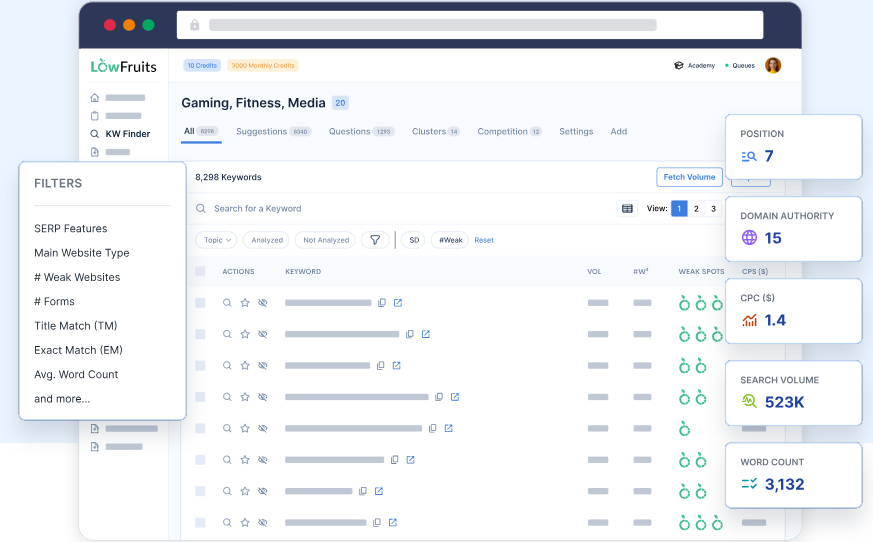
LowFruits is a specialized keyword research tool built for one purpose: helping you find low-competition keywords that are easier to rank for. Instead of competing for highly competitive search terms dominated by authoritative websites, LowFruits identifies keywords where Google’s search results contain weaker websites, giving smaller businesses and content creators a realistic opportunity to rank.
Unlike traditional keyword research platforms that focus primarily on search volume and keyword difficulty, LowFruits analyzes the actual search engine results pages (SERPs). It identifies “weak spots” by detecting forums, niche blogs, user-generated content, and low-authority websites already ranking on the first page. This unique approach helps users prioritize keywords that have genuine ranking potential.
The platform is particularly popular among niche site builders, affiliate marketers, bloggers, and SEO professionals who publish large volumes of content targeting long-tail search queries. It also includes keyword clustering, SERP extraction, rank tracking, and domain analysis, making it more than just a keyword discovery tool.
If your primary goal is to uncover hidden keyword opportunities with realistic ranking potential, LowFruits is one of the most effective tools available.
Best For
Affiliate marketers, bloggers, niche website owners, freelancers, SEO professionals, and small businesses targeting low-competition keywords.
Key Features
• Low-Competition Keyword Discovery
• SERP Weak Spot Analysis
• Long-Tail Keyword Research
• Keyword Clustering
• Search Volume Analysis
• SERP Extraction
• Domain Explorer
• Rank Tracking
• Bulk Keyword Analysis
• Competitor SERP Insights
Pros
• Ideal for discovering easy-to-rank keywords.
• Unique SERP-based competition analysis
• Beginner-friendly interface
• Affordable compared to enterprise SEO tools
• Great for affiliate SEO and niche websites
• Helps identify untapped content opportunities
Cons
• Limited unified SEO features
• Smaller keyword database than Semrush or Ahrefs
• Not designed for technical SEO or backlink analysis
• Best used alongside a comprehensive SEO platform
Pricing
LowFruits offers flexible pay-as-you-go credits along with subscription plans, making it an affordable option for both occasional users and professional SEO teams.
Our Experience & Recommendation
LowFruits stands out because it approaches keyword research differently. Instead of relying solely on keyword difficulty scores, it analyzes real search results to identify opportunities where smaller websites can compete. For bloggers, affiliate marketers, and content-focused businesses, this can significantly improve the chances of ranking without building an extensive backlink profile. We recommend using LowFruits alongside a full-featured SEO platform for the best results.
Final Verdict
LowFruits is one of the best keyword research tools for finding low-competition, high-opportunity keywords. If your SEO strategy focuses on publishing content that ranks quickly and targets underserved search queries, it’s an excellent investment that can uncover opportunities many traditional keyword research tools overlook.
KeywordTool.io
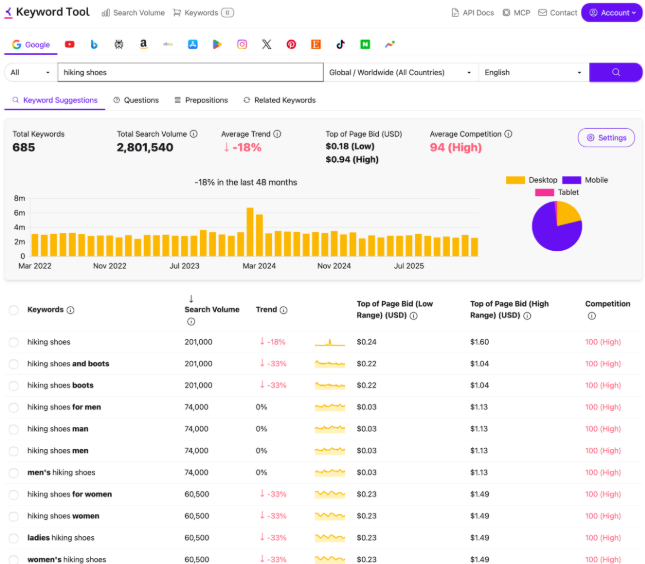
KeywordTool.io is a popular keyword research platform that specializes in generating thousands of long-tail keyword ideas using Google Autocomplete and other search engine suggestions. Instead of relying solely on keyword databases, it collects real search queries that users actively type into search engines, making it an excellent tool for discovering content ideas and uncovering niche keyword opportunities.
One of the platform’s biggest strengths is its support for multiple search engines and online marketplaces. In addition to Google, KeywordTool.io can generate keyword suggestions for YouTube, Bing, Amazon, eBay, Instagram, TikTok, the App Store, and other platforms. This makes it a versatile solution for businesses and marketers who want to optimize content beyond traditional Google Search.
The free version provides hundreds of keyword suggestions, while the Pro version unlocks practical metrics such as search volume, keyword competition, CPC, and trend data. These insights help users prioritize keywords with strong traffic potential and commercial value.
Although KeywordTool.io doesn’t offer the advanced competitor research or backlink analysis found in all-in-one SEO platforms, it excels at expanding keyword lists and discovering long-tail search terms that are often overlooked by traditional keyword research tools.
Best For
Content marketers, bloggers, YouTubers, Amazon sellers, eCommerce businesses, app developers, SEO professionals, and digital marketers looking for long-tail keyword ideas.
Key Features
• Google Autocomplete Keyword Research
• YouTube Keyword Research
• Amazon Keyword Research
• Bing Keyword Research
• TikTok & Instagram Keyword Research
• Search Volume Analysis (Pro)
• CPC & Competition Metrics
• Long-Tail Keyword Suggestions
• Question-Based Keywords
• Multi-Language & Local Keyword Research
Pros
• Generates thousands of long-tail keyword ideas
• Supports multiple search engines and marketplaces
• Ideal for content ideation
• Simple and intuitive interface
• Great for YouTube, Amazon, and eCommerce SEO
• Strong multilingual keyword support
Cons
• Search volume and competition metrics require the Pro plan
• No backlink analysis
• Limited competitor research features
• Can become expensive for advanced users
Pricing
KeywordTool.io offers a free version with basic keyword suggestions. Pro plans start at approximately $89 per month, unlocking search volume, competition, CPC, and additional keyword insights.
Our Experience & Recommendation
KeywordTool.io is one of the best tools for expanding keyword ideas beyond traditional SEO platforms. Its ability to generate autocomplete-based search queries across multiple platforms makes it particularly practical for content creators, eCommerce businesses, and marketers targeting YouTube or Amazon search. While it shouldn’t replace a comprehensive SEO suite like Semrush or Ahrefs, it’s an excellent complementary tool for discovering long-tail keyword opportunities.
Final Verdict
KeywordTool.io is an outstanding keyword discovery tool for marketers who need fresh content ideas and long-tail keyword opportunities across multiple platforms. If your SEO strategy extends beyond Google Search, it’s one of the most versatile keyword research tools available.
Keyword Everywhere
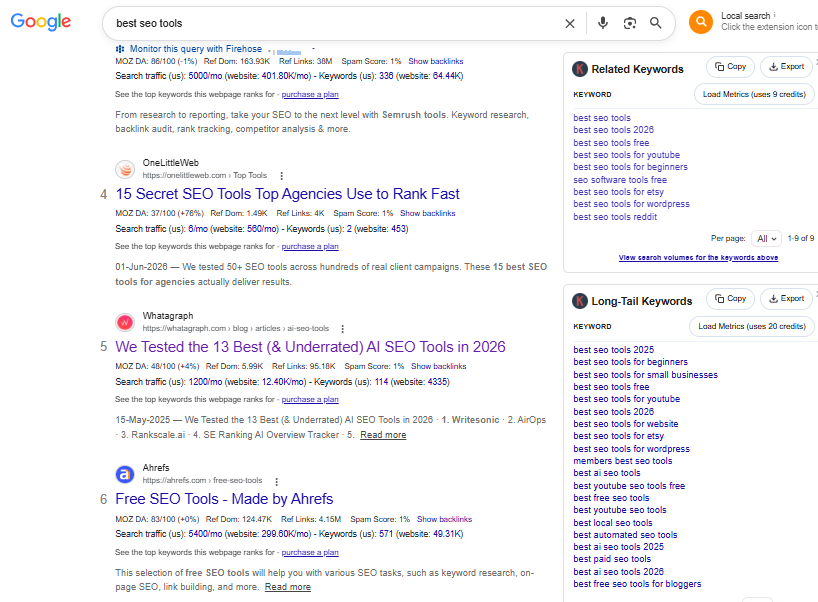
Keyword Everywhere is a lightweight browser extension that brings keyword data directly into your everyday search experience. Instead of switching between multiple SEO tools, it displays worthwhile keyword metrics while you browse Google Search, YouTube, Amazon, Bing, and other supported platforms. This seamless integration makes keyword research faster and more efficient for marketers who want instant insights without leaving the search results page.
The tool provides metrics such as monthly search volume, cost-per-click (CPC), competition, and trend data alongside search results. It also generates related keywords, long-tail variations, “People Also Search For” terms, and question-based keyword suggestions, helping users expand their content strategy with minimal effort.
One of Keyword Everywhere’s biggest advantages is its affordability. Rather than requiring an expensive monthly subscription, it operates on a credit-based pricing model, making it an attractive option for freelancers, bloggers, and small businesses that don’t need a full-scale SEO platform.
Although it doesn’t include Advanced features like technical SEO audits, backlink analysis, or comprehensive competitor research, Keyword Everywhere serves as an excellent companion tool for platforms like Semrush, Ahrefs, or Google Search Console by making keyword research more convenient during everyday browsing.
Best For
Bloggers, freelancers, content marketers, affiliate marketers, small businesses, SEO professionals, and anyone looking for quick keyword insights while browsing.
Key Features
• Browser-Based Keyword Research
• Monthly Search Volume
• CPC & Competition Metrics
• Related Keyword Suggestions
• Long-Tail Keyword Ideas
• People Also Search For Data
• Question-Based Keywords
• Search Trend Analysis
• YouTube & Amazon Keyword Research
• Google Search Integration
Pros
• Displays keyword data directly within search results
• Affordable credit-based pricing
• Extremely easy to use
• Excellent for discovering long-tail keyword opportunities
• Supports multiple search platforms
• Saves time during keyword research
Cons
• Not a complete SEO platform
• No backlink analysis or technical SEO tools
• Limited competitor research capabilities
• Requires credits for keyword data usage
Pricing
Keyword Everywhere uses a flexible credit-based pricing model, with plans starting at approximately $27 per year, making it one of the most affordable premium keyword research tools available.
Our Experience & Recommendation
Keyword Everywhere is an excellent productivity tool for SEO professionals and content creators who perform keyword research daily. Instead of opening separate applications, it surfaces useful keyword metrics exactly where you need them. While it shouldn’t replace a comprehensive SEO suite, it’s one of the best companion tools for speeding up keyword discovery and validating search opportunities.
Final Verdict
Keyword Everywhere offers outstanding value for marketers who want instant keyword insights without paying for an expensive end-to-end SEO platform. Its browser integration, affordable pricing, and ease of use make it one of the best keyword research tools for bloggers, freelancers, and businesses looking to simplify their SEO workflow.
AnswerThePublic
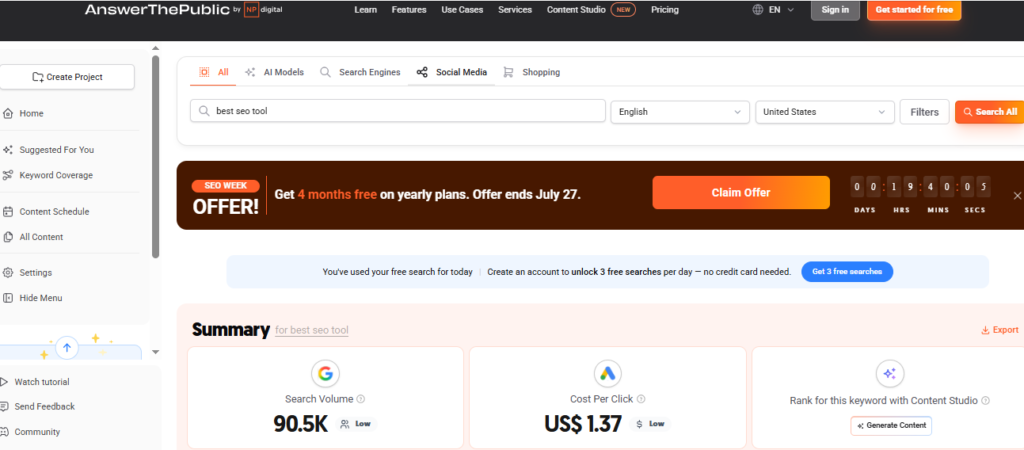
AnswerThePublic is a unique keyword research tool that focuses on uncovering the questions people ask online rather than simply generating keyword lists. By visualizing search queries around a topic, it helps marketers understand user intent, identify content gaps, and create articles that directly answer what audiences are searching for.
The platform collects autocomplete data from search engines and organizes it into categories such as questions, prepositions, comparisons, alphabetical suggestions, and related searches. Instead of showing only short-tail keywords, it reveals the natural language queries people use, making it especially worthwhile for creating blog posts, FAQs, pillar pages, and voice search content.
One of AnswerThePublic’s biggest strengths is content ideation. Whether you’re planning a content marketing campaign or optimizing existing pages, the tool helps you discover hundreds of relevant topics that can improve topical authority and increase organic visibility.
Although it doesn’t provide the in-depth competitor analysis or technical SEO features available in comprehensive SEO platforms, AnswerThePublic is one of the best tools for generating content ideas based on real user searches.
Best For
Content marketers, bloggers, SEO professionals, agencies, copywriters, businesses, and anyone creating educational or informational content.
Key Features
• Question-Based Keyword Research
• Search Intent Discovery
• Autocomplete Keyword Suggestions
• Comparison Keywords
• Preposition-Based Keywords
• Related Search Queries
• Visual Keyword Maps
• Content Idea Generation
• Search Listening Alerts
• Keyword Monitoring
Pros
• Excellent for discovering question-based keywords
• Helps understand user search intent
• Ideal for content planning and topical authority
• Easy-to-use visual interface
• Great for FAQ and blog content creation
• Supports multiple countries and languages
Cons
• Limited keyword metrics in the free version
• No backlink or technical SEO analysis
• Minimal competitor research capabilities
• Better as a complementary tool than a complete SEO platform
Pricing
AnswerThePublic offers a limited free version. Paid plans start at approximately $11 per month (billed annually), with additional features and higher search limits available on premium plans.
Our Experience & Recommendation
AnswerThePublic is one of the best tools for turning search intent into content ideas. Instead of focusing only on search volume, it helps you understand the actual questions your audience wants answered. We recommend using it during the content planning stage to build comprehensive articles, FAQ sections, and topic clusters that better align with user intent.
Final Verdict
AnswerThePublic is an excellent keyword research tool for content marketers who want to create more helpful, search-focused content. While it won’t replace a full-featured SEO platform, it’s one of the best tools for discovering question-based keywords and building content that addresses real user needs.
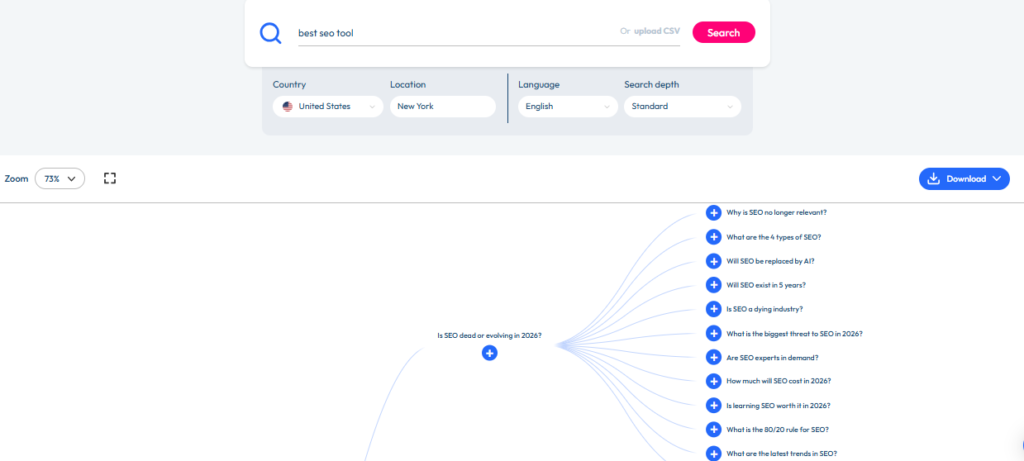
AlsoAsked
AlsoAsked is a specialized keyword research tool designed to help marketers understand how search topics are connected. Instead of generating a simple list of keywords, it maps Google’s People Also Ask (PAA) questions into a visual hierarchy, making it easier to uncover related topics, search intent, and content opportunities.
The platform is particularly worthwhile for building topical authority. By showing how questions branch into follow-up queries, AlsoAsked helps you structure comprehensive articles that answer multiple user questions within a single piece of content. This approach not only improves user experience but also increases the likelihood of ranking for multiple long-tail keywords.
Unlike traditional keyword research tools that prioritize search volume and competition, AlsoAsked focuses on the relationships between search queries. This makes it an excellent companion tool for content planning, FAQ creation, pillar pages, and topic clusters.
Although it doesn’t replace unified SEO platforms like Semrush or Ahrefs, it provides insights that are difficult to find elsewhere and can significantly strengthen your content strategy.
Best For
Content marketers, SEO professionals, bloggers, agencies, copywriters, publishers, and businesses building topic clusters and authority content.
Key Features
• People Also Ask (PAA) Research
• Search Intent Mapping
• Question Relationship Visualization
• Topic Cluster Planning
• Content Brief Generation
• Long-Tail Question Discovery
• Search Query Hierarchies
• Multiple Country Support
• Exportable Reports
• Content Ideation
Pros
• Excellent for building topical authority
• Reveals hidden question-based keyword opportunities
• Helps structure comprehensive content
• Easy-to-understand visual interface
• Ideal for FAQ sections and pillar pages
• Supports multiple search regions
Cons
• Doesn’t provide search volume for every query
• Limited competitor analysis
• No backlink or technical SEO features
• Works best alongside a full-featured SEO platform
Pricing
AlsoAsked offers limited free searches. Paid plans start at approximately $15 per month, with higher-tier plans providing additional searches and export capabilities.
Our Experience & Recommendation
AlsoAsked is one of the best content research tools for understanding how users explore a topic. Rather than focusing solely on keywords, it helps uncover the questions people ask before and after a search, making it easier to create comprehensive, intent-driven content. We recommend using AlsoAsked during content planning to build stronger topic clusters and improve your chances of earning visibility for multiple related searches.
Final Verdict
AlsoAsked is an outstanding keyword research companion for content marketers who want to create in-depth, authoritative content. If your goal is to improve topical coverage, strengthen internal linking, and answer real user questions, it’s one of the most impactful tools you can add to your SEO workflow.
Rankability
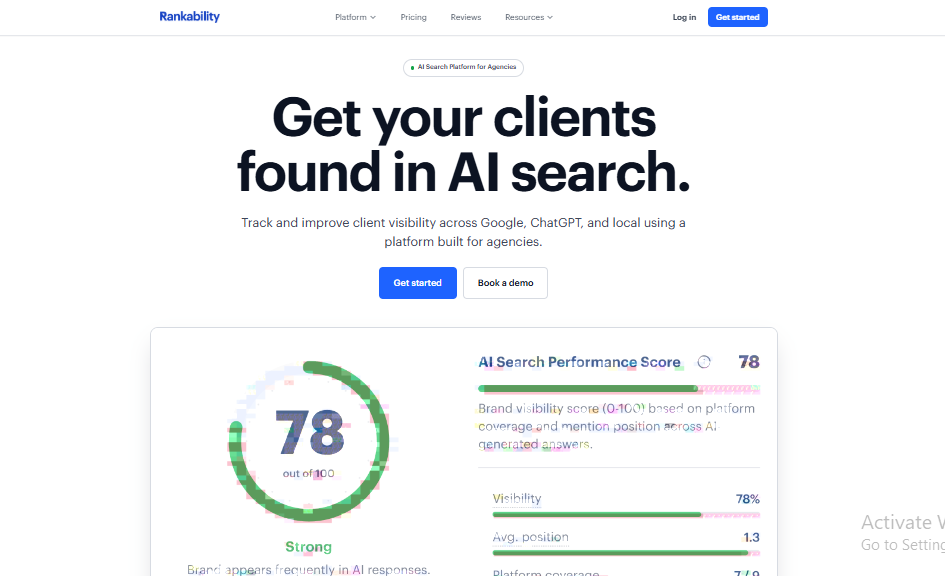
Rankability is an AI-powered content optimization and keyword research platform built specifically for modern SEO workflows. Unlike traditional keyword research tools that focus primarily on finding keywords, Rankability helps you identify the topics, entities, and search intent required to create content that competes with today’s top-ranking pages.
The platform analyzes Google’s search results to uncover the factors influencing rankings, including topical relevance, semantic coverage, content structure, and optimization opportunities. Instead of simply targeting individual keywords, Rankability encourages a topic-first approach, helping content creators produce comprehensive pages that align with Google’s evolving ranking systems.
One of its standout capabilities is content optimization. By comparing your content against top-ranking competitors, Rankability identifies missing topics, important entities, and optimization gaps that can improve search visibility. This makes it particularly impactful for agencies, content teams, and businesses focused on publishing high-quality, search-first content.
While Rankability isn’t a replacement for comprehensive SEO suites like Semrush or Ahrefs, it complements them exceptionally well by bridging the gap between keyword research and content optimization.
Best For
SEO professionals, content marketers, agencies, publishers, in-house marketing teams, and businesses focused on content optimization and topical authority.
Key Features
• AI-Powered Content Optimization
• Keyword & Topic Research
• Search Intent Analysis
• Competitor Content Analysis
• Content Gap Identification
• Entity-Based Optimization
• SERP Analysis
• Content Scoring
• Optimization Recommendations
• Topical Authority Insights
Pros
• Excellent for creating search-optimized content
• AI-driven recommendations based on top-ranking pages
• Strong focus on search intent and topical relevance
• Helps identify content gaps quickly
• User-friendly interface with actionable insights
• Complements traditional keyword research tools
Cons
• Not a full-featured SEO suite
• Limited backlink and technical SEO capabilities
• Best used alongside dedicated keyword research platforms
• Premium features may not suit every budget
Pricing
Rankability offers multiple subscription plans, with pricing starting at approximately $49 per month, depending on the features and usage limits required.
Our Experience & Recommendation
Rankability is one of the best tools for transforming keyword research into content that has a stronger chance of ranking. Its AI-powered optimization recommendations make it easier to create comprehensive, intent-driven articles that satisfy both users and search engines. We recommend pairing Rankability with tools like Semrush or Ahrefs for a complete SEO workflow—from keyword discovery to content optimization and performance tracking.
Final Verdict
Rankability is an excellent choice for marketers who want to move beyond traditional keyword research and focus on creating high-quality, search-optimized content. If your SEO strategy prioritizes topical authority, semantic optimization, and AI-assisted content improvement, Rankability is a impactful addition to your toolkit.
Feature Comparison: Best Keyword Research Tools
Choosing the right keyword research tool becomes easier when you compare the features that directly affect your workflow. The table below highlights how the 13 tools differ across keyword discovery, competitor research, SERP analysis, content optimization, and overall usability.
| Tool | Keyword Discovery | Competitor Research | SERP Analysis | Content Optimization | Free Option | Best Use Case |
| Semrush | Excellent | Excellent | Excellent | Excellent | Limited | Best all-in-one platform |
| Ahrefs | Excellent | Excellent | Excellent | Good | Limited | Competitor and backlink research |
| Google Keyword Planner | Good | Limited | Limited | Limited | Yes | Free keyword validation |
| Google Search Console | Existing rankings only | No | Limited | Good | Yes | Finding quick SEO wins |
| SE Ranking | Very Good | Very Good | Very Good | Good | Trial | Agencies and growing businesses |
| Moz Keyword Explorer | Very Good | Good | Good | Good | Limited | Simple keyword prioritization |
| KWFinder | Very Good | Limited | Good | Limited | Limited | Long-tail keyword research |
| LowFruits | Very Good | Limited | Excellent | Good | Limited | Low-competition opportunities |
| KeywordTool.io | Excellent | Limited | Limited | Good | Yes | Autocomplete and platform-specific keywords |
| Keyword Everywhere | Good | Limited | Good | Limited | Limited | Fast browser-based research |
| AnswerThePublic | Very Good | No | Limited | Good | Limited | Question and content ideas |
| AlsoAsked | Good | No | Good | Very Good | Limited | Topic clusters and PAA research |
| Rankability | Good | Very Good | Excellent | Excellent | Limited | SEO content optimization |
Best Tool for Comprehensive SEO Campaigns
Semrush offers the most complete combination of keyword research, competitor analysis, rank tracking, site auditing, and content optimization. It is the strongest option for agencies and businesses that want to manage most of their SEO workflow within one platform.
Ahrefs is a close alternative, particularly for teams that prioritize competitor research, backlinks, content gaps, and traffic potential.
Best Tool for Agencies
SE Ranking offers an excellent balance of functionality, affordability, project management, and white-label reporting. It is particularly suitable for agencies that manage multiple client websites but do not require the higher usage limits or pricing of enterprise platforms.
Semrush remains the better choice for agencies that need deeper datasets, PPC research, local SEO features, and broader digital marketing capabilities.
Best Free Keyword Research Tools
Google Keyword Planner and Google Search Console are the strongest free options, but they serve different purposes.
Google Keyword Planner is better for discovering new keyword ideas and estimating search demand. Google Search Console is better for finding the queries your website already ranks for and identifying pages that can be improved.
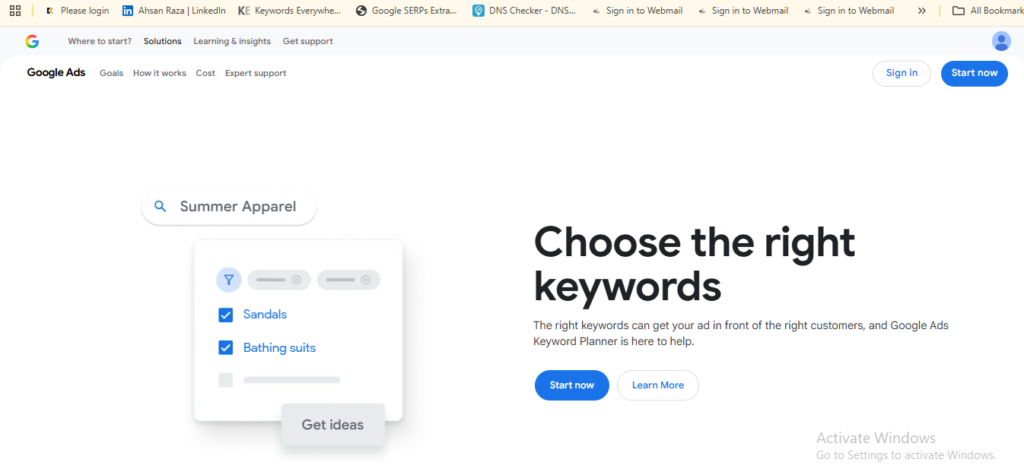
Using both tools together creates a practical free keyword research workflow.
Best Tool for Low-Competition Keywords
LowFruits is the strongest specialist option because it evaluates weaknesses in the actual search results rather than relying only on a generalized keyword difficulty score.
KWFinder is also an excellent choice for finding long-tail keywords with manageable competition, especially for beginners and small website owners.
Best Tool for Content Planning
Rankability is the best option for turning keyword research into optimized content. It helps identify missing topics, entities, intent signals, and competitor content gaps.
AnswerThePublic and AlsoAsked are particularly useful during the ideation stage. They reveal questions, related searches, and topic relationships that can be used to create FAQs, supporting articles, and comprehensive topic clusters.
Learn more in our Best SEO Content Optimization Tools guide.
Best Tool for YouTube, Amazon, and Alternative Search Platforms
KeywordTool.io is the strongest choice for researching keywords beyond Google. It supports platforms such as YouTube, Amazon, Bing, TikTok, Instagram, eBay, and the App Store.
Keyword Everywhere also supports several search platforms and is a more affordable option for users who want keyword metrics directly inside their browser.
Our Comparison Summary
There is no single keyword research tool that is best for every user.
Semrush and Ahrefs are ideal for advanced SEO professionals who need deep competitive intelligence. SE Ranking offers the best balance of cost and functionality for agencies. Google Keyword Planner and Google Search Console provide essential free data. LowFruits and KWFinder are better for finding achievable long-tail opportunities, while Rankability, AnswerThePublic, and AlsoAsked strengthen content planning and topical coverage.
The best choice depends on whether your priority is discovering keywords, analyzing competitors, optimizing content, managing client campaigns, or working within a limited budget.
No keyword research tool should be evaluated in isolation. After discovering keyword opportunities, verify their performance using Google Search Console to monitor impressions, clicks, click-through rate, and average rankings. Combining keyword research with real search performance data helps you prioritize opportunities that can generate sustainable organic traffic.
How to Choose the Best Keyword Research Tool
The best keyword research tool is not necessarily the platform with the largest database or the highest price. The right choice depends on your workflow, budget, SEO experience, team size, and the type of search opportunities you want to uncover.
Before choosing a tool, evaluate how well it supports the tasks you perform most often. A freelance blogger may need affordable long-tail keyword discovery, while an SEO agency may require competitor analysis, rank tracking, white-label reporting, and multiple client workspaces.
Define Your Primary SEO Goal
Start by identifying the main problem you want the tool to solve.
Choose a platform like Semrush or Ahrefs when you need comprehensive keyword research, competitor intelligence, backlink analysis, and campaign tracking.
If you’d like expert help choosing and setting up the right tool for your SaaS, check out our SEO services.
Consider SE Ranking when you want an affordable complete SEO platform with agency-friendly reporting.
Choose LowFruits or KWFinder when your priority is finding low-competition keywords that smaller websites can realistically rank for.
Use AnswerThePublic or AlsoAsked when you need question-based ideas, topic clusters, and deeper insight into user intent.
Choose Rankability when your main objective is turning keyword research into better-optimized content.
Evaluate Keyword Data and Metrics
Search volume alone is not enough to determine whether a keyword is important. A useful keyword research tool should provide several decision-making metrics, including:
• Estimated monthly search volume
• Keyword difficulty
• Search intent
• Traffic potential
• CPC and commercial value
• Search trends
• SERP features
• Ranking competitors
These metrics help you avoid targeting keywords that look attractive on paper but have limited traffic potential, unclear intent, or unrealistic competition.
It is also important to remember that keyword metrics are estimates. Different tools use different databases, clickstream sources, and calculation methods, so search volume and difficulty scores can vary between platforms. Use these figures as directional indicators rather than absolute guarantees.
Consider Competitor Research Capabilities
Competitor research can reveal opportunities that basic keyword discovery may miss. A strong competitor analysis tool should help you:
• Identify the keywords competing websites rank for
• Find content gaps between your website and competitors
• Analyze top-performing competitor pages
• Review ranking history and traffic estimates
• Discover overlapping and untapped keyword opportunities
Semrush and Ahrefs are the strongest choices for deep competitor analysis. SE Ranking and Moz also provide useful competitive insights for smaller teams and businesses.
Review SERP Analysis Features
Keyword difficulty scores provide a quick estimate, but they should not replace manual SERP analysis. Before targeting a keyword, you need to understand which pages currently rank and why.
Look for tools that show:
• Domain authority or website strength
• Page-level backlink profiles
• Content type and search intent
• SERP features
• Ranking page traffic
• Content freshness
• Weak or low-authority competitors
LowFruits is particularly important for identifying weak spots in search results, while Ahrefs, Semrush, and SE Ranking offer detailed SERP overviews for broader analysis.
Match the Tool to Your Experience Level
Beginners often benefit from platforms with clean interfaces, straightforward metrics, and guided workflows. KWFinder, Moz Keyword Explorer, and Keyword Everywhere are easier to learn than more complex enterprise platforms.
Experienced SEO professionals and agencies may prefer Semrush or Ahrefs because they provide more advanced datasets, filtering options, competitive intelligence, and reporting capabilities.
A tool with hundreds of features is not automatically better if your team only uses a small portion of them. Choose a platform that fits your current workflow while leaving enough room to scale.
Compare Pricing and Usage Limits
Do not compare keyword research tools based only on their advertised monthly price. Review the limits attached to each plan, including:
• Daily keyword searches
• Number of tracked keywords
• Projects or websites
• User seats
• Reports and exports
• Historical data
• Competitor lookups
• AI content credits
A cheaper plan may become expensive if you frequently exceed its limits. Agencies should also consider the cost of additional users, white-label reports, and client projects before making a decision.
Check Country and Language Coverage
Businesses targeting international markets need a tool with reliable regional databases. Confirm that the platform supports the countries, languages, and search engines relevant to your audience.
Semrush, Ahrefs, KeywordTool.io, and Google Keyword Planner offer strong international research capabilities. KeywordTool.io is particularly useful for researching search behavior across multiple platforms and languages.
Decide Whether You Need an All-in-One Platform
All-in-one SEO platforms are ideal for teams that want keyword research, rank tracking, technical audits, competitor analysis, backlink monitoring, and reporting in one place.
However, specialized tools can sometimes provide better results for specific tasks. For example:
• LowFruits is stronger for SERP weakness analysis
• AlsoAsked is better for mapping People Also Ask questions
• AnswerThePublic is more useful for content ideation
• Rankability is more focused on content optimization
• Keyword Everywhere is faster for browser-based research
Many professionals achieve the best results by combining one comprehensive SEO suite with one or two specialized tools.
Use Free Trials Before Committing
Whenever possible, test the platform before purchasing an annual subscription. Use the trial period to evaluate:
• Data quality in your industry
• Keyword coverage in your target market
• Ease of use
• Reporting workflows
• Export options
• Team collaboration features
• Customer support
The best keyword research tool is the one your team can use consistently to make faster and more confident SEO decisions—not the one with the longest feature list.
Free vs Paid Keyword Research Tools: Which Should You Choose?
Free keyword research tools can be highly effective when you are starting out, validating content ideas, or managing a small website. Paid tools become more important when you need deeper competitive intelligence, larger datasets, advanced filters, historical data, and scalable reporting.
The right choice depends on how often you perform keyword research, how many websites you manage, and how much detail you need before making SEO decisions.
When Free Keyword Research Tools Are Enough
Free tools are often sufficient for bloggers, startups, local businesses, and website owners with basic SEO requirements.
Google Keyword Planner can help you discover keyword ideas, review demand, and evaluate commercial intent. Google Search Console can show which queries already generate impressions and clicks for your website. Free versions of AnswerThePublic, AlsoAsked, and KeywordTool.io can also support content ideation and question-based research.
A free tool setup can work well when you need to:
• Build an initial keyword list
• Find topics for blog posts
• Validate basic search demand
• Discover questions your audience asks
• Identify keywords your website already ranks for
• Optimize a small number of pages
• Perform occasional keyword research
The main limitation is that free tools usually provide fewer searches, limited exports, broad search-volume ranges, and little or no competitor data.
When a Paid Keyword Research Tool Is Worth It
Paid tools become worthwhile when SEO is an important acquisition channel for your business or clients.
Platforms like Semrush, Ahrefs, and SE Ranking allow you to analyze competitor rankings, uncover content gaps, review SERPs, track keyword positions, and manage multiple campaigns. These capabilities can save hours of manual research and help teams prioritize opportunities with greater confidence.
A paid tool is usually the better choice when you need to:
• Manage several websites or client accounts
• Perform keyword research every week
• Analyze competitors at scale
• Access keyword difficulty and traffic-potential metrics
• Review historical ranking data
• Track hundreds or thousands of keywords
• Create professional SEO reports
• Research multiple countries and languages
• Integrate keyword research with technical SEO and backlinks
For agencies and in-house teams, the time saved through automation and centralized reporting can justify the subscription cost.
Free Tools vs Paid Tools
| Factor | Free Keyword Research Tools | Paid Keyword Research Tools |
| Cost | Free or limited access | Monthly or annual subscription |
| Keyword Ideas | Basic to good | Extensive |
| Search Volume | Often limited or grouped | More detailed estimates |
| Keyword Difficulty | Usually unavailable | Commonly included |
| Competitor Research | Minimal | Advanced |
| SERP Analysis | Limited | Detailed |
| Historical Data | Rarely available | Available on many platforms |
| Rank Tracking | Limited or unavailable | Usually included |
| Reporting | Basic | Advanced and exportable |
| Best For | Beginners and small websites | Professionals, agencies, and growing businesses |
The Best Free Keyword Research Setup
For a practical free workflow, we recommend combining multiple tools rather than relying on one platform.
Use Google Keyword Planner to discover initial keyword ideas and estimate demand. Use Google Search Console to identify existing rankings and pages with optimization potential. Add AnswerThePublic or AlsoAsked to uncover questions and supporting topics.
This combination gives you keyword discovery, real website performance data, and content-planning insights without requiring a paid subscription.
However, you will still need to evaluate competition manually because free tools rarely provide complete keyword difficulty, backlink, and competitor-ranking data.
The Best Paid Keyword Research Setup
For most SEO professionals and businesses, one all-in-one platform is enough to manage the core workflow.
Semrush is the strongest overall choice for users who need keyword research, competitor analysis, technical SEO, rank tracking, and content tools in one platform. Ahrefs is particularly beneficial for competitor research, backlinks, and traffic-potential analysis. SE Ranking offers a more affordable option for agencies, freelancers, and growing businesses.
Specialized tools can then be added based on your workflow. LowFruits can help uncover weak SERPs, AlsoAsked can strengthen topic clusters, and Rankability can support content optimization.
Can You Combine Free and Paid Tools?
Yes. In fact, combining free and paid tools often creates the most reliable keyword research process.
Paid platforms provide scale, competitor intelligence, and advanced metrics, while Google Search Console provides actual performance data from your website. Google Keyword Planner can also be useful for validating commercial intent and regional demand.
A strong professional workflow might include:
• Semrush or Ahrefs for keyword and competitor research
• Google Search Console for real performance data
• Google Keyword Planner for additional demand validation
• AlsoAsked or AnswerThePublic for question discovery
• Rankability for content optimization
This approach reduces dependence on a single dataset and gives you a more complete view of each keyword opportunity.
Our Recommendation
Start with free tools when you are learning SEO, managing a small website, or publishing content occasionally. Move to a paid platform when keyword research becomes a regular part of your growth strategy or when manual analysis starts consuming too much time.
Do not purchase the most expensive platform simply because it has more features. Choose the tool that supports your current workload, provides the data you actually use, and helps you make better SEO decisions consistently.
Common Keyword Research Mistakes to Avoid
Even the best keyword research tool will not produce meaningful results if the strategy behind it is weak. Many websites fail to grow because they focus too heavily on metrics and not enough on search intent, competition, content quality, and business value.
Avoiding the following mistakes will help you make better keyword decisions and create content with a stronger chance of ranking.
Choosing Keywords Based Only on Search Volume
High search volume can look attractive, but it does not automatically mean a keyword is practical.
A broad keyword may generate thousands of searches while attracting visitors who are unlikely to convert. It may also be dominated by established websites with stronger authority, larger content teams, and extensive backlink profiles.
Instead of chasing volume alone, evaluate:
• Search intent
• Keyword difficulty
• Traffic potential
• Conversion value
• SERP competition
• Relevance to your business
A lower-volume keyword with clear commercial intent can often generate more revenue than a broad informational term with ten times the search volume.
Ignoring Search Intent
Search intent explains what the user wants to achieve when entering a query.
A keyword may appear relevant to your business, but your page will struggle to rank if the content format does not match what Google currently rewards.
For example, a search results page may favor:
• Product pages
• Comparison articles
• Step-by-step guides
• Category pages
• Videos
• Free tools
• Local business listings
Before creating content, review the top-ranking pages and identify the dominant intent. Your page should satisfy the same underlying need while offering more useful information, clearer structure, or a better user experience.
Trusting Keyword Difficulty Scores Without Reviewing the SERP
Keyword difficulty scores are useful, but they are not universal.
A keyword marked as difficult may still contain weak pages, outdated content, forums, or smaller websites in the search results. On the other hand, a keyword with a low difficulty score may be dominated by highly relevant brands that are difficult to displace.
Always review the actual SERP before targeting a keyword.
Look at:
• The authority of ranking websites
• Backlinks to individual pages
• Content quality and freshness
• Search intent consistency
• SERP features
• Weak domains or user-generated content
• Whether your website can offer something meaningfully better
Tools like LowFruits, Semrush, Ahrefs, and SE Ranking can make this process faster, but manual judgment is still essential.
Targeting Keywords That Are Too Broad
Broad keywords often have mixed intent and intense competition.
For example, targeting “SEO tools” is much more difficult than targeting “best keyword research tools for small businesses.” The longer phrase is more specific, reveals stronger intent, and gives you a clearer direction for the content.
Long-tail keywords can be especially worthwhile for:
• New websites
• Small businesses
• Niche publishers
• Local companies
• Affiliate websites
• Websites with limited backlink authority
A focused page can also rank for dozens or hundreds of related keyword variations, so you do not need to create separate pages for every minor phrase.
Creating Multiple Pages for the Same Search Intent
Publishing separate pages for very similar keywords can lead to keyword cannibalization.
For example, creating individual articles for “best keyword research tools,” “top keyword research software,” and “best tools for keyword research” may cause those pages to compete against each other because they satisfy the same search intent.
Instead, group closely related keywords into one comprehensive page.
Create separate pages only when the search results show clearly different intent, audiences, formats, or stages of the buyer journey.
Ignoring Existing Keyword Opportunities
Many businesses focus entirely on new keywords and overlook the queries they already rank for.
Google Search Console can reveal pages that receive high impressions but have:
• Low click-through rates
• Rankings between positions 5 and 20
• Declining traffic
• Weak title tags
• Outdated content
• Missing sections
Improving an existing page can often produce results faster than publishing a completely new article.
Before building a new content calendar, identify pages with realistic opportunities for ranking improvement.
Treating Tool Data as Exact
Search volume, traffic estimates, and keyword difficulty scores are estimates, not guaranteed figures.
Different tools may report different values because they use different databases, algorithms, clickstream sources, and update schedules.
Do not reject a keyword simply because one platform reports low volume. A keyword can still be valuable if it has strong intent, supports a profitable topic, or represents one part of a broader search cluster.
Use tool data to compare opportunities, not as an absolute prediction of future traffic.
Overlooking Business Value
A keyword can be easy to rank for and still deliver little value to your business.
Before targeting a term, ask:
• Is the audience relevant to our product or service?
• Does the keyword support a commercial objective?
• Can we naturally connect the content to an offer?
• Is the visitor likely to become a lead, customer, subscriber, or returning reader?
• Does the topic strengthen our authority in a strategically important area?
The best keyword strategy balances traffic potential with business relevance.
Ignoring Zero-Click Searches and SERP Features
Not every search results in a website visit.
Featured snippets, AI-generated answers, knowledge panels, local packs, video carousels, and People Also Ask boxes can reduce the number of organic clicks available.
Before prioritizing a keyword, review the search results and consider how much visibility remains for traditional organic listings.
This does not mean you should avoid every keyword with SERP features. Instead, determine whether you can earn visibility within those features or provide enough depth that users still need to visit your page.
Failing to Build Topic Clusters
Publishing isolated articles without supporting content makes it harder to establish topical authority.
A stronger approach is to organize keywords into related clusters built around a central topic. A pillar page covers the main subject, while supporting articles answer narrower questions and target more specific search intent.
For example, a keyword research cluster could include:
• Best keyword research tools
• Free keyword research tools
• How to find low-competition keywords
• Keyword difficulty explained
• Search intent analysis
• Long-tail keyword research
• Competitor keyword analysis
These pages can support one another through contextual internal links and create a more complete resource for users and search engines.
Publishing Content Without Tracking Results
Keyword research does not end when the content is published.
You need to monitor:
• Rankings
• Organic clicks
• Impressions
• Click-through rates
• Conversions
• Keyword growth
• Competitor movement
• Content decay
Google Search Console and a rank-tracking platform can help you identify what is working and where updates are needed.
SEO performance should guide future keyword decisions. Without tracking, it becomes difficult to know whether your strategy is producing meaningful results.
Our Recommendation
Use keyword research tools as decision-support systems, not automatic content planners.
The strongest SEO strategies combine reliable data with manual SERP analysis, audience knowledge, business priorities, and high-quality content. Focus on search intent, realistic competition, topical relevance, and measurable business value rather than chasing the largest numbers inside a dashboard.
Final Verdict: Which Keyword Research Tool Is Best?
There is no single keyword research tool that’s perfect for everyone. The best choice depends on your experience, SEO goals, budget, and the type of projects you manage. A freelancer optimizing a niche blog has different requirements than an agency handling dozens of client websites or an enterprise business managing thousands of keywords.
If you’re looking for the most complete SEO platform, Semrush remains our top recommendation. It combines keyword research, competitor analysis, rank tracking, technical SEO, content marketing, and reporting into one capable solution. For agencies, in-house teams, and businesses that need an all-in-one platform, it delivers the best overall value.
If competitor analysis and backlink intelligence are your highest priorities, Ahrefs is an outstanding alternative. Its keyword data, traffic potential metrics, and industry-leading backlink database make it one of the strongest tools for advanced SEO professionals.
For businesses that want premium features without enterprise-level pricing, SE Ranking offers exceptional value. It provides reliable keyword research, rank tracking, competitor analysis, and white-label reporting, making it an ideal choice for freelancers, agencies, and growing businesses.
If you’re working with a limited budget, Google Keyword Planner and Google Search Console remain essential free tools. Together, they help you discover keyword opportunities, validate search demand, and monitor your website’s actual search performance without any subscription cost.
Content-focused marketers can strengthen their workflow by combining specialized tools. LowFruits excels at uncovering low-competition opportunities, AnswerThePublic and AlsoAsked help identify search intent and topic clusters, while Rankability transforms keyword research into well-optimized content that aligns with modern SEO best practices.
Ultimately, keyword research is not about collecting the largest list of keywords—it’s about finding opportunities that match your audience, support your business goals, and have a realistic chance of ranking. The right tool should help you make faster, smarter, and more confident SEO decisions.
Whether you’re launching your first website or managing SEO campaigns at scale, investing in the right keyword research platform can save time, improve content quality, and drive sustainable organic growth.
Need help choosing the right tool for your SaaS? Contact us today.
If we had to recommend just three tools for most users, our picks would be:
🥇 Best Overall: Semrush
🥈 Best for SEO Professionals: Ahrefs
🥉 Best Value for Money: SE Ranking
For beginners and businesses on a tight budget, pairing Google Keyword Planner with Google Search Console is an excellent starting point. As your SEO strategy grows, you can expand your toolkit with specialized platforms that match your workflow and long-term objectives.
Common Keyword Research Mistakes to Avoid
Many websites struggle to rank because they focus only on high-volume keywords while ignoring search intent, keyword difficulty, and business relevance. Other common mistakes include targeting the same keywords across multiple pages, overlooking long-tail opportunities, relying entirely on search volume, and failing to update keyword research regularly. The best keyword research strategy balances search demand, competition, user intent, and your website’s authority to identify opportunities that are realistic and valuable.
Best Practices for Keyword Research
Effective keyword research goes beyond finding high-volume search terms. Focus on understanding search intent, balancing search volume with keyword difficulty, targeting relevant long-tail keywords, and organizing related keywords into topical clusters. Review keyword performance regularly, update your strategy based on Google Search Console data, and align every target keyword with content that provides genuine value. Consistent keyword research combined with high-quality content is the foundation of sustainable organic growth.
Frequently Asked Questions (FAQs)
What is the best keyword research tool in 2026?
Semrush is our top overall recommendation because it combines keyword research, competitor analysis, rank tracking, backlink analysis, technical SEO, and content optimization in one platform. If your budget allows, it provides the most complete solution for SEO professionals, agencies, and businesses.
Which keyword research tool is best for beginners?
Google Keyword Planner and Google Search Console are the best free tools for beginners. If you’re looking for an affordable premium option with an easy learning curve, KWFinder and Moz Keyword Explorer are well suited for beginners.
For a broader comparison, read our Best SEO Tools for Beginners, Businesses & Agencies guide.
Is Google Keyword Planner good for SEO?
Yes. Although Google Keyword Planner was originally designed for advertisers, it remains a valuable resource for SEO. It helps identify keyword ideas, estimate search demand, evaluate commercial intent, and discover seasonal trends. However, it should ideally be used alongside a dedicated SEO platform for competitor research and keyword difficulty analysis.
What’s the difference between Semrush and Ahrefs?
For a complete side-by-side comparison, read our Semrush vs Ahrefs guide.
Both are industry-leading SEO platforms, but they excel in different areas. Semrush offers a broader comprehensive marketing toolkit with keyword research, PPC, local SEO, site audits, and content marketing features. Ahrefs is particularly strong in backlink analysis, competitor research, and traffic potential metrics. The better choice depends on your workflow and SEO priorities.
Can I do keyword research for free?
Yes. You can perform effective keyword research using free tools such as Google Keyword Planner, Google Search Console, AnswerThePublic, and KeywordTool.io. While these tools have some limitations, they are more than sufficient for beginners, bloggers, and small businesses starting their SEO journey.
How do I find low-competition keywords?
Start by targeting long-tail keywords instead of broad, highly competitive terms. Review the search results to identify weaker competitors, niche websites, or forums already ranking. Tools like LowFruits, KWFinder, and Semrush can also help uncover keywords with realistic ranking opportunities.
How often should I perform keyword research?
Keyword research shouldn’t be a one-time task. It’s best to review your keyword strategy regularly, especially when publishing new content, updating existing pages, entering new markets, or responding to changes in search trends. Many SEO professionals conduct keyword research monthly or quarterly to identify new opportunities.
Which keyword research tool is best for agencies?
Semrush is the best overall choice for agencies because of its comprehensive SEO toolkit, client reporting, project management, and competitor analysis features. SE Ranking is an excellent alternative for agencies seeking feature-rich platforms at a more affordable price.
Which keyword research tool is best for bloggers?
KWFinder, LowFruits, Keyword Everywhere, and Google Keyword Planner are excellent options for bloggers. They make it easier to discover long-tail keywords with lower competition, helping new websites rank more quickly.
Can I use multiple keyword research tools together?
Absolutely. Many SEO professionals combine multiple tools to improve data accuracy and uncover more opportunities. For example, you might use Semrush for competitor analysis, Google Search Console for performance tracking, AnswerThePublic for content ideas, and Rankability for content optimization. Using multiple tools provides a more complete picture than relying on a single platform.
That’s the complete article.
The only sections remaining before publishing are the standard closing SEO elements.
Key Takeaways
- Semrush is the best overall keyword research tool for SEO professionals, agencies, and businesses.
- Ahrefs excels in competitor research and backlink analysis.
- SE Ranking offers the best value for money for freelancers and agencies.
- Google Keyword Planner and Google Search Console remain the best free keyword research tools.
- LowFruits and KWFinder are excellent for discovering low-competition keywords.
- AnswerThePublic and AlsoAsked help uncover search intent and content ideas.
- Rankability bridges the gap between keyword research and AI-powered content optimization.
- The right keyword research tool depends on your SEO goals, budget, and workflow.
Sources & References
To ensure accuracy and provide up-to-date information, this guide was created using official documentation, product websites, industry resources, and our independent analysis.
- Semrush
- Ahrefs
- Google Keyword Planner
- Google Search Console
- SE Ranking
- Moz
- Mangools (KWFinder)
- LowFruits
- KeywordTool.io
- Keyword Everywhere
- AnswerThePublic
- AlsoAsked
- Rankability
- Google Search Central Documentation
Author
SaaSLogicLab Editorial Team
Last Updated
January 2026